

A workflow every web dev knows is the staging → prod pipeline.
Before pushing changes to prod, deploy to a separate environment, get a preview URL to iterate freely, and share with your team for testing. In web2, giants like Vercel and Netlify, and others built their business on this model.
However, when deploying web apps to Arweave, every test costs $AR and is permanently public. During active development on a site with even a few pages and dependencies, that’s dozens of transactions per test, all costing $AR, with every half-broken test version permanently etched onchain.
That’s why we built a custom fork of the popular permaweb-deploy CLI with temporary preview URLs, bringing a Vercel-like developer experience to the permaweb, powered by Load S3 temporary storage.
Today we are going to demo the permaweb-deploy staging environment, a new unlock for the well-loved permaweb-deploy CLI that allows preview deployment to Load S3’s xANS-104 with frictionless dataitem anchoring to Arweave for permanently settled prod deployments.
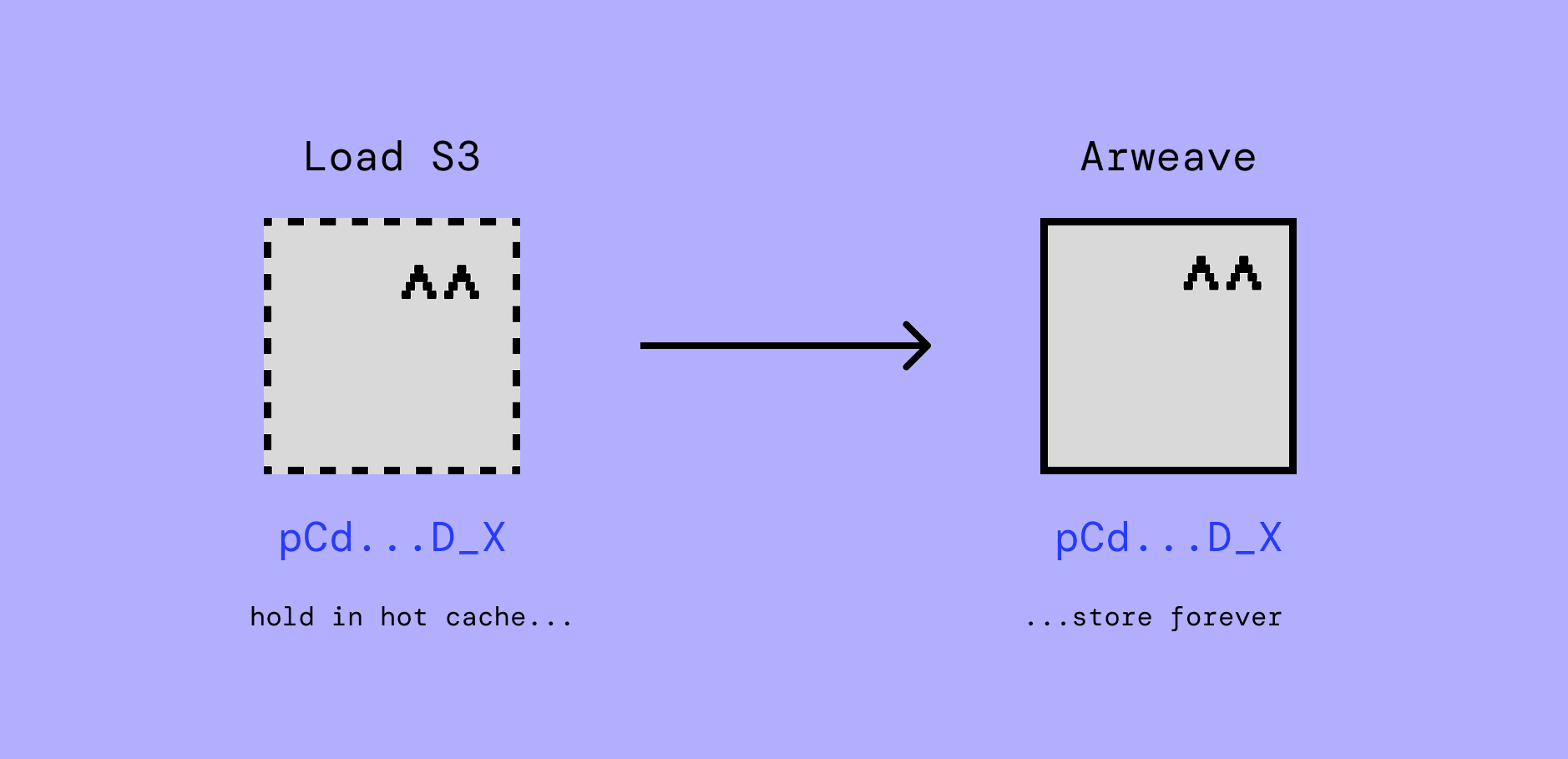
For web devs, iterating first using Load S3 means only pushing once to Arweave, and being confident that what worked on Load S3 preview will work 1:1 on Arweave, and even be referencable by the same txid.
First of all, what is permaweb-deploy?
In the official permaweb-deploy repository, it is defined as below:
Inspired by the cookbook github action deployment guide, permaweb-deploy is a Node.js command-line tool designed to streamline the deployment of web applications to the permaweb using Arweave. It uploads your build folder or a single file, creates Arweave manifests, and updates ArNS (Arweave Name System) records via ANT (Arweave Name Token) with the transaction ID.
In addition to permaweb-deploy, there are UI deployment tools available such as ArLink.
Rationale
One of the features that permaweb-deploy was missing in our opinion as devs is the option to have a no-commitment test environment, in stealth and upgradeable to permanent without losing the test environment provenance. Basically, a staging environment for preview deployments before committing to a permanent production environment.
Thinking about the problems to solve, xANS-104 is a natural fit for an out-of-the-box solution: staging deployments go first to Load S3 as ANS-104 dataitems. Once a deployment is ready to be promoted to production, the same staging deployment dataitems (Arweave Manifest) are anchored to Arweave with the same IDs and provenance.
Load-flavored permaweb-deploy
To translate the theoretical rationale into a usable solution, we forked the permaweb-deploy repository and added Load S3 as a data upload route alongside the canonical Turbo upload service.
The Load S3 upload service in this fork relies on the loaded-turbo-api which is a Turbo-compliant upload service but with Load S3 as the primary data layer before Arweave settlement. Our fork is maintained under loadnetwork/permaweb-deploy and has an addition of 2 flags (commands) in comparison to the base repo: --preview and --anchor.
Using loadnetwork/permaweb-deploy
To start using the features, you have to install the CLI as below:
git clone https://github.com/loadnetwork/permaweb-deploy
cd permaweb-deploy
pnpm install
pnpm build
pnpm link --global
Deploy UIs to staging environment (temporary hosting)
From UI local path:
permaweb-deploy deploy --preview --deploy-folder ./dist --wallet ./wallet.jsonif you want to avoid linking loadnetwork/permaweb-deploy globally on your system, run it directly from the permaweb-deploy fork repo:
node ./bin/run.js deploy --preview --deploy-folder /path-to-dist/dist --wallet /path-to-wallet/wallet.jsonAnchoring staging deployments to Arweave (permanent settlement)
To anchor load s3 preview (staging) deployment to Arweave while maintaining determinism and provenance:
permaweb-deploy deploy --anchor --preview-id <manifest-id> --wallet ./wallet.jsonAccessing deployments
To access deployments, either staging (temporary) or prod (Arweave-settled), the Load S3 HyperBEAM gateway has been adapted to resolve Arweave Manifests.
The LS3 gateway can properly resolve the manifests under the /resolve/preview/{manifest_dataitem_id} endpoint. Example:
- Preview: /resolve/preview/
- Manifest: /resolve/
The gateway also let you resolve Arweave-settled Manifests, either through —anchor or any Arweave-deployed UI under the /resolve/prod/{manifest_dataitem_id} endpoint: example here.
Resources
Opening 2026 with this new shipped product, this year we are committed to expanding the utility of xANS-104 and promoting conditional storage methodology across the permaweb ecosystem. Next up we plan on shipping a UI dashboard that makes it even easier for no-CLI fans to deploy webapps as Arweave Manifests, either as staging or prod releases. Stay tuned!